1
/
of
8
Brand:ArtHawk
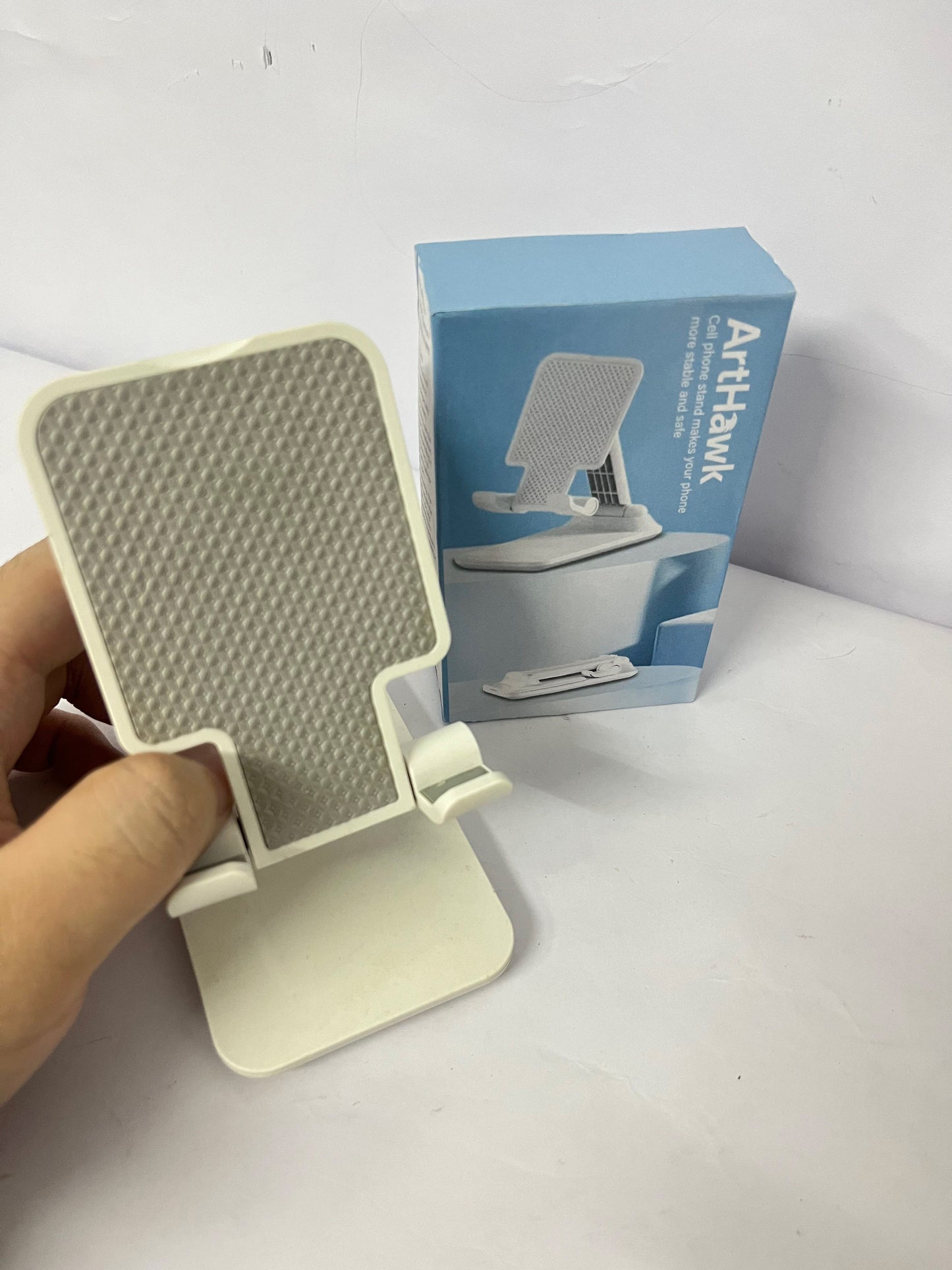
ArtHawk Multi-Functional Phone & Tablet Stand - Stable & Anti-Slip · Multi-Angle Adjustment · Desktop Efficiency Tool
ArtHawk Multi-Functional Phone & Tablet Stand - Stable & Anti-Slip · Multi-Angle Adjustment · Desktop Efficiency Tool
Regular price
$5.60
Regular price
Sale price
$5.60
Shipping calculated at checkout.
Quantity
Couldn't load pickup availability
- Brand: ArtHawk
- Material: Durable Eco-Friendly Plastic + Honeycomb Anti-Slip Pad
- Color: Elegant White
- Applicable Devices: Mobile Phones, Tablets (≤12.9 Inches)
- Adjustment Method: Manual Multi-Angle Adjustment
- Load Capacity: Max 2kg
- Date First Available:October 13, 2025
About this item
-
Ultra-Stable, Zero Risk for Device Placement
The contact surface is equipped with a honeycomb anti-slip pad to firmly (adhere to) mobile phones/tablets and completely eliminate slipping risks. The base is widened and weighted for stable center of gravity—even a 12.9-inch tablet stays “rock-solid” without tipping over.
-
Free Multi-Angle Adjustment, Fit All Viewing Needs
Supports stepless multi-angle adjustment—from the “reclining angle” for vertical binge-watching, to the “eye-level angle” for video calls, and the “efficient downward angle” for office/study. It precisely matches every scenario and always protects cervical spine health.
-
Full Device Compatibility, One Stand for All Devices
Compatible with mainstream mobile phones (all iPhone series, Huawei, Xiaomi, OPPO, etc.) and tablets (all iPad series, Huawei MatePad, Xiaomi Pad, etc.). As long as the device size is ≤12.9 inches, it can be stably supported.
-
Minimalist & Portable, Both Aesthetic and Practical
Made of durable and eco-friendly plastic, it is solid in texture and light in weight, easy to store at home or carry on business trips. The minimalist white design is versatile and can be an “aesthetic desktop ornament” in the desk, kitchen, or bedroom.
-
Multi-Scenario Coverage, Unlock Hands-Free Freedom in N Ways
- Home: Reading recipes in the kitchen, binge-watching in the bedroom, screen casting in the living room;
- Office: Multi-device linkage on the desktop, fixed angle for video conferences;
- Creation/Live Streaming: Stably support devices to let you focus on content output;
- Student: Place devices during online classes and problem-solving to maximize efficiency.
-
How to Use
- According to the usage scenario (binge-watching/office/study, etc.), gently move the stand body to adjust to your desired angle;
- Place the mobile phone/tablet smoothly in the anti-slip pad area to ensure the device fits tightly with the stand;
- Immediately enjoy the comfortable hands-free usage experience.
Notes
- Do not place devices exceeding the 2kg load capacity to avoid stand damage;
- Please operate slowly when adjusting the angle, do not pull violently.
Share